When organizations scale, they are likely to face fragmented data environments and disconnected business processes. In this case, custom enterprise resource planning systems are usually used to address these issues. Industry research highlights the tangible value of such integration. For example, an analysis of ERP deployments by Nucleus Research found that organizations achieve an average return of $7.23 for every $1 invested in ERP solutions, thanks to increased productivity, cost savings, and improved decision-making capabilities.
Beyond financial returns, operational improvements are frequently reported. Another research also observed that organizations implementing modern ERP solutions typically recoup their investment within about 16 months and achieve over 200% ROI, largely due to streamlined processes and reduced reliance on legacy systems.
While there are numerous commercially accessible systems, custom ERP development assures that you have a solution that is specifically matched to your needs. In this article we will talk about customized ERP solutions, their advantages and disadvantages, as well as about fully custom ERP systems and their development process.
Evaluating the Customization Option
Today, there are numerous off-the-shelf ERP solutions available from companies like Oracle, Microsoft, Infor, SAP, IQMS, Sage, Epicor, Netsuite, and many others. For some businesses, the software that comes with the package is completely adequate. On the other hand, some choose to have their software customized by a specialized development firm. Now let’s look at customized ERP pros and cons.
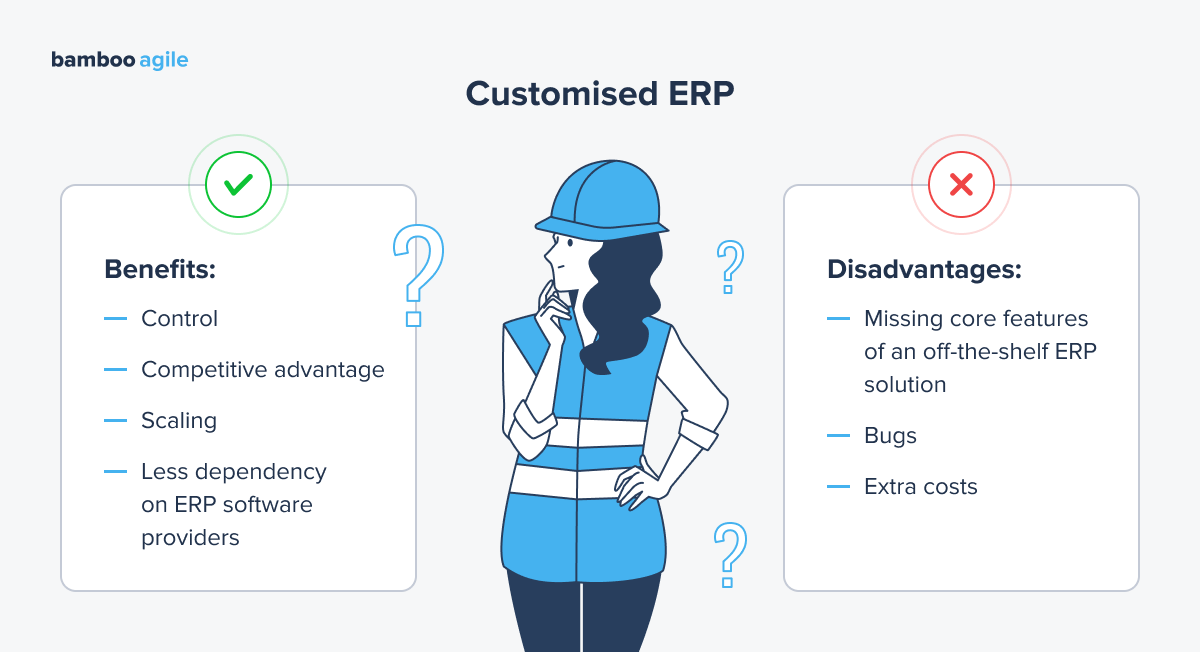
Advantages of Customizing ERP
Control of your business operations
The goal of ERP software is to satisfy the needs of your company. And one-size-fits-all software may not fully meet them. However, when you have a custom software development company working on your platform, you have complete control over what it does and offers. You can request that the developer configure a solution that is personalized to your requirements – just the way you want it.
Some off-the-shelf software may have capabilities you don’t require and lack those you do. Customization can help with this by utilizing only the elements that are crucial to your organization and industry, as well as to how it operates. You can poll your leadership team and departments to discover the most important components for business success.
Competitive Advantage
Because no standard ERP system can fully solve all of your organization’s difficulties, customizing your software is frequently the solution. After all, the ultimate goal is to get a competitive advantage in your sector, and if you don’t attempt to build a system that allows you to view the broad picture and all the data around your processes, you’ll be left behind.
Meanwhile, your competitors using ERP software that maximizes their potential and assists them in meeting their objectives may quickly get ahead of you.
Scaling
One of the key advantages of ERP systems is their ability to scale alongside organizational growth. As companies expand operations, add users, enter new markets, or introduce additional business processes, an ERP platform can accommodate increased data volumes and workflow complexity without requiring fragmented standalone tools.
Scalable ERP solutions support modular expansion, integration with new systems, and infrastructure adjustments (such as cloud resource scaling). This allows businesses to maintain consistency of operations and transparency as they evolve.
Less Dependency on ERP Software Providers
When you use standard, off-the-shelf software, the software provider owns the licence. If you’re using a SaaS model, you’ll almost certainly be paying a monthly fee to use the ERP system. However, if you have a platform customized just for you, the software provider will only have control over its basic features. All the new features will be under your own control.
Disadvantages of ERP Customization
Missing Core Features of an Off-the-Shelf ERP Solution
You may ignore vital aspects of your existing programme and lose them under unneeded bells and whistles if you are too focused on customizing your product. It can also be difficult to install regular upgrades and updates, which are frequently required to keep the platform running efficiently. This may interfere with the software’s basic functionality.
Bugs
This is less dangerous if you deal with a reputable, high-quality development business, but the more features you include in your product, the more likely flaws will be introduced. This is simply the nature of software development: the “fancier” and more intricate the product, the more likely it is that faults will appear.
Extra Costs
Adding more functionality to a current product will cost more than merely utilizing the software as is. In general, the degree to which you choose to customize ERP software will be proportional to the amount you pay. That implies that if you want considerable customization and a slew of new features, you may have to pay a fortune.
ERP Solutions Overview
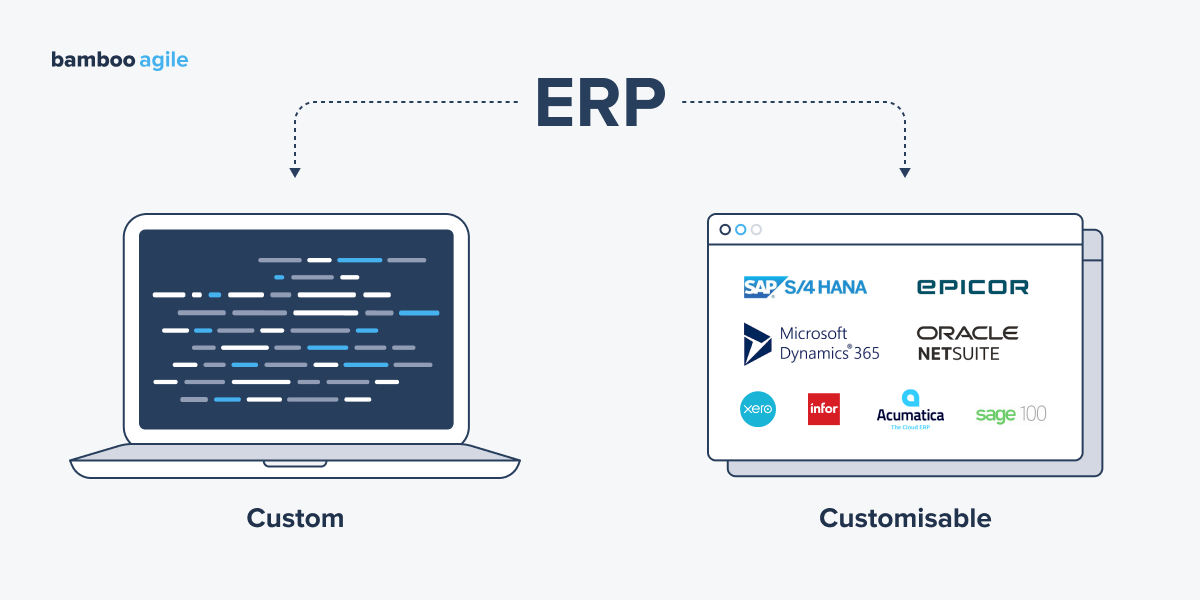
Modern enterprises can choose from several approaches to ERP implementation, depending on their goals, budget and the level of flexibility required. Some organizations prefer to adapt existing platforms, while others choose fully customized solutions tailored to their processes from scratch. To help you determine which approach best suits your needs, let’s take a closer look at the available types of ERP solutions and how they can be applied in practice.
Existing ERP Solutions You Can Customize
Here are some examples of ERP systems you can customize to your business needs:
- SAP S/4HANA is a popular ERP solution that can be tailored to meet the specific needs of any business. For example, SAP S/4HANA can be customized to integrate with other business systems, get new features, or have a different user interface.
- Oracle NetSuite is another popular ERP solution that is known for its flexibility and scalability. You can adapt Oracle NetSuite to meet the needs of businesses of all sizes.
- Microsoft Dynamics 365 is a cloud-based ERP solution that offers a wide range of features and configuration options. Customized Microsoft Dynamics 365 is suitable for the needs of businesses in a variety of industries, including manufacturing, retail, and healthcare.
- Infor LN is an ERP solution that is known for its strength in manufacturing and supply chain management. The system can be adapted to align with industry-specific workflows and operational models.
- Epicor ERP is an easy-to-use and scalable system that can be customized to meet the needs of businesses of all sizes, from small ones to large enterprises.
- Acumatica is a cloud-based ERP solution known for its ease of use and affordability, and it can be used by businesses of all sizes.
- Sage 100 is an ERP solution mostly preferred by businesses from accounting and finance. However, Sage 100 can be customized to meet the business needs of companies from other industries.
- Xero is a cloud-based ERP solution that is recognized for its ease of use and affordability. Xero is a good choice for small businesses that are looking for the system that is easy to set up and use.
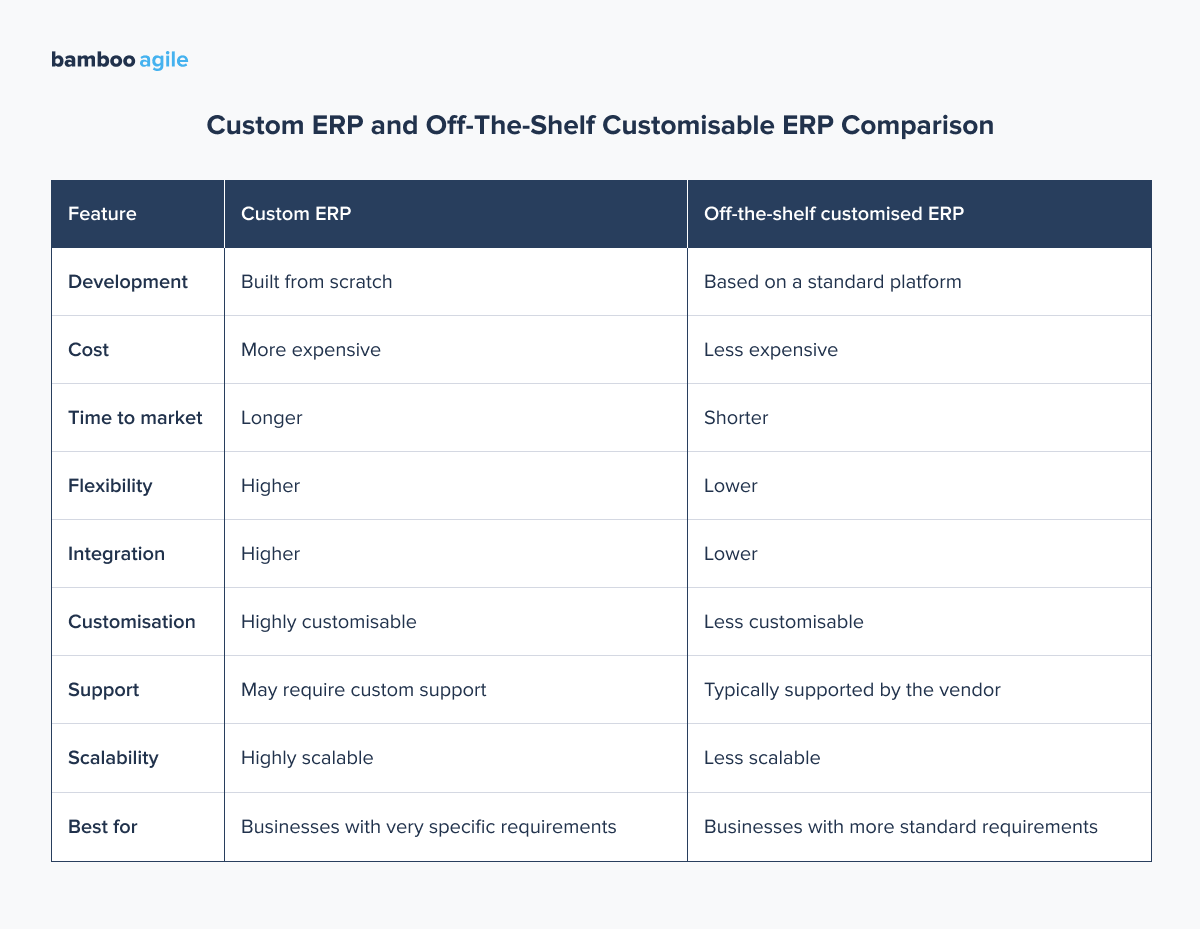
It is important to distinguish between customized and custom ERP. Customized solutions are based on existing platforms that are modified or configured to better fit business workflows. Custom ERP systems, by contrast, are developed from the ground up according to precise operational and integration requirements.
Custom ERP Solutions
Despite the fact that custom ERP is more expensive, businesses often choose exactly this option because of the higher level of flexibility and integration with other systems.
Bamboo Agile, as an ERP developer, offers a full range of services from consulting to solution deployment, as well as customization services. Each of our team members is educated in their field and can provide expert guidance regardless of where you are in the custom ERP software development cycle. Our trusted professionals all have extensive experience in ERP development, and our teams provide solutions for businesses of different sizes and industries.
Below are several examples of domains where such systems are commonly applied.
Human Resources
One of the ERP systems we can develop or customize is a human resources ERP (HRM ERP). It is a software system that integrates all of the human resources (HR) processes of an organization into a single system. This includes tasks such as recruiting, onboarding, training, performance management, compensation, benefits, and payroll.
HRM ERP systems can help businesses to improve their HR efficiency, productivity, and compliance. They can also help to improve employee engagement and satisfaction.
Here are some of the benefits of using an HRM ERP system:
- Improved efficiency. Routine HR tasks are automated, which can free up HR staff to focus on more strategic tasks.
- Increased productivity. Processes become clearer and faster,, which can lead to faster processing times and improved accuracy.
- Enhanced compliance. HRM ERP systems can help businesses to stay compliant with government regulations, such as those related to payroll and benefits.
- Higher employee engagement. Staff can easily access HR information and services without unnecessary back-and-forth communication.
- Better decision-making. HRM ERP systems can help businesses to make better decisions about HR matters by providing them with insights into their workforce data.
Explore how Bamboo Agile enhanced HRM ERP with numerous new features.
Financial Management
Another ERP system we’d like to mention is a financial management ERP. It is a software system that gathers all of the financial management processes into one system. Among the features included into this type of ERP system are accounts payable, accounts receivable, general ledger, budgeting, forecasting, and reporting.
Financial management ERP systems improve businesses financial efficiency, decision-making, and provide insights into financial performance.
All the benefits mentioned for HRM ERP are also applicable to financial management ones.
Inventory management
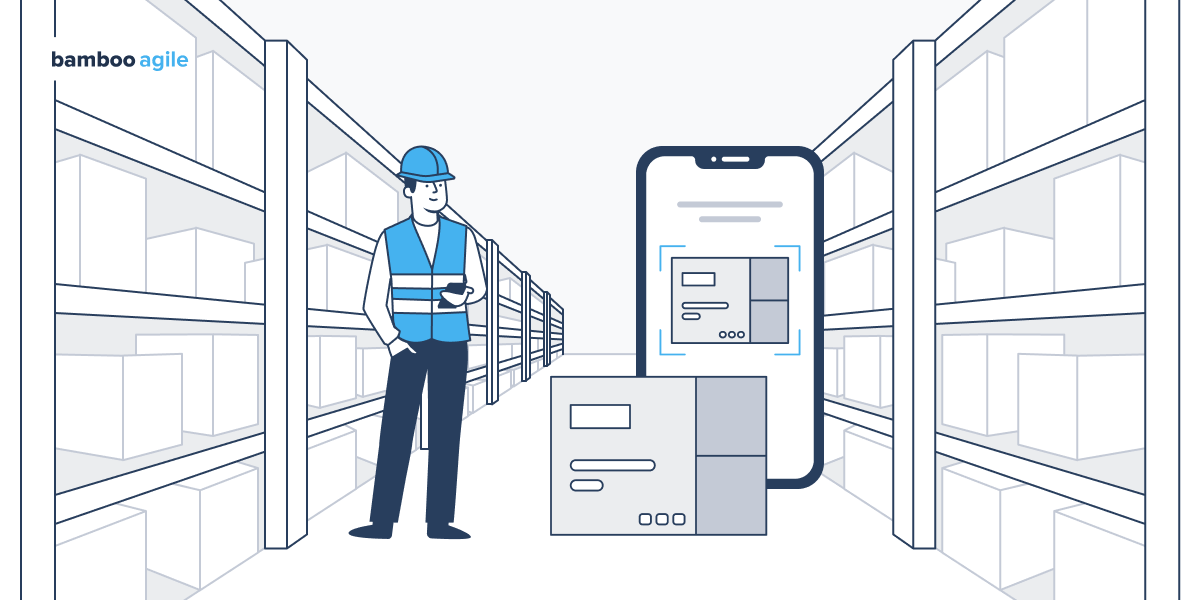
Inventory management is another functional area where ERP systems are frequently applied, particularly in companies dealing with physical goods. An inventory-focused ERP helps with tracking stock across warehouses, managing batch and serial numbers, monitoring expiration dates, and reconciling inventory with incoming and outgoing orders. It also connects inventory data with procurement and sales modules so that stock reservations, replenishment, and fulfillment reflect actual demand.
When to Develop a Fully Custom ERP System
There is a list of difficulties that indicate you may need a bespoke system to swiftly decide whether your firm genuinely requires a custom ERP.
- Your present software tools do not communicate effectively with one another;
- Custom reports cannot be generated by your ERP;
- Mobile users are unable to access your software;
- You struggle to meet the needs of your clients;
- You don’t have a working CRM system.
If you are experiencing these challenges in your present business operations, bespoke ERP may be the choice for you.
Developing Your Custom ERP Software with Bamboo Agile
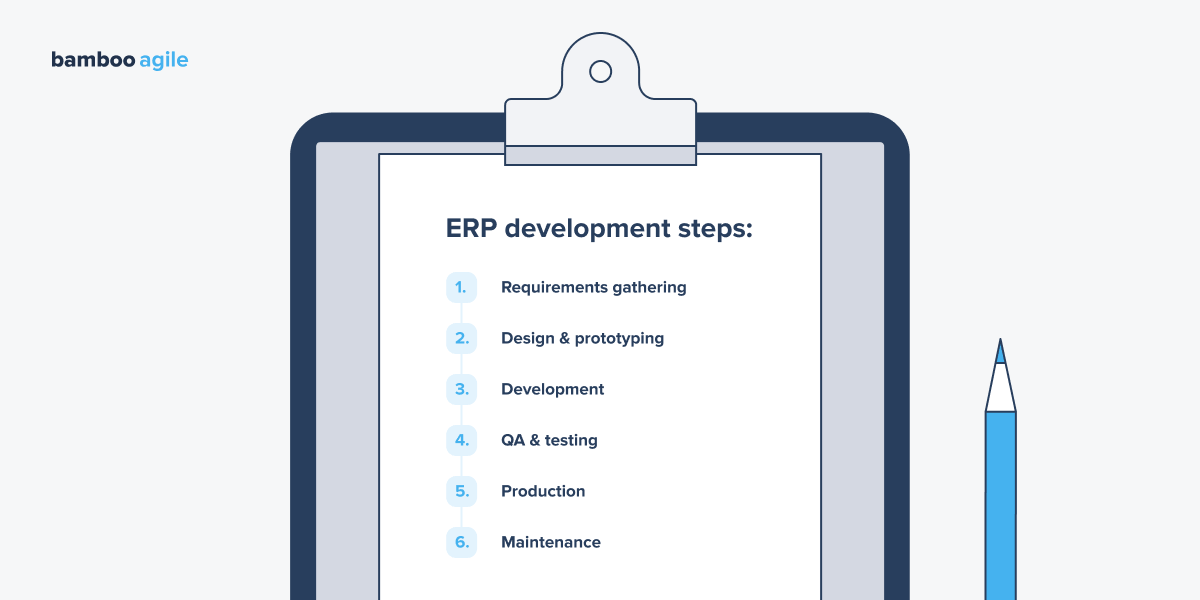
Now let’s look at the process of developing ERP software with Bamboo Agile.
Requirements
The first step in ERP development is to gather requirements from users within your business. This includes understanding the current business processes, identifying the pain points, and determining the desired future state.
For example, a business might want to implement an ERP system to improve its inventory management. In this case, the requirements gathering process would involve understanding how the business currently manages its inventory, identifying the problems with its current system, and determining what it would like to achieve with a new system.
Design & Prototyping
Once the requirements have been gathered, the next step is to design the ERP system. This includes designing the system architecture, the user interface, and the business processes. The design phase should also include prototyping the system to ensure that it does meet those requirements.
Continuing the example of the ERP for inventory management, you might want to create a prototype to test how the app fares in an actual warehouse and get feedback from its first users.
Development
The development phase is where the full ERP system is built. This involves coding the system, testing the code, and integrating the software with other systems. The development phase can be a long and complex process, and it is important to have a well-defined development timeline in place.
QA & Testing
Once the ERP system has been developed, it needs to be tested to ensure that it operates well and that it is free of errors. The testing phase should include both functional testing and non-functional testing. Functional testing ensures that the system meets the requirements, while non-functional testing ensures that the system is reliable, scalable, and secure. It’s also advisable to use a combination of manual testing and automated testing to ensure that the system is thoroughly tested.
Production
When the ERP system is tested and approved, it is ready to be rolled out into production. This involves deploying the system to the production environment and training the users on how to use the system. The production phase is when the ERP system is used by business users to perform their day-to-day tasks. For example, that’s when a business might create a training plan for its users and provide them with access to documentation and support.
Maintenance
The final stage of ERP development is maintenance. This includes fixing bugs, adding new features, and making changes to the system to meet the changing needs of the business. The maintenance phase is an ongoing process that ensures that the ERP system continues to meet requirements and remains secure. It’s usually handled by a dedicated team of developers who are responsible for maintaining the system.
Read more in our article on best ERP implementation practices.
Conclusion
With so many procedures, resources, and data in circulation, organizations sometimes struggle to keep track of everything. But you can always develop your own custom ERP system to avoid this occurring in your organization. And instead of gathering your own development team for this single issue, consider entrusting the development process to a software contractor with an experienced team of professionals.
Bamboo Agile can create a comprehensive ERP system that combines all of your data, procedures, and resources into a single platform. Furthermore, regardless of the industry, our teams know how to properly suit your individual requirements and needs. To get more information regarding our collaboration, simply fill out the form to get a free consultation with our professionals and lose the last pieces of uncertainty about your future project!