Introduction
Managing a large-scale business is a difficult task. According to Camunda’s 2025 State of Process Orchestration and Automation Report, organizations now manage an average of 50 endpoints to execute tasks across their business processes, while 82% fear growing “digital chaos” caused by complex and interconnected systems.
That is why you want an advanced web solution as it not only improves your online visibility, but it is also beneficial for your internal processes. Because enterprise web solutions go beyond standard CMS-based websites, they can be directly integrated with your business processes and assist you in running day-to-day operations.
In this article, we’ll discuss the significance of enterprise web application development and help you in answer the question, “Does my enterprise really need a web app?”
Let’s get started.
What is enterprise web development
First of all, let’s start with some basics and have a look at the definitions of enterprise websites and web applications.
An enterprise website is a set of web pages that share a single domain name and represent your company. The website enables you to establish an online presence and expand your audience reach.
Enterprise websites differ from other types of websites in several key aspects. These differences include:
| Enterprise website | Regular website |
|---|---|
| Supports the operations, branding, and communication needs of a large organization. | Supports a small business, startup, or individual project. |
| Often includes thousands of pages, multiple websites, and multilingual content. | Typically contains a limited number of pages and features. |
| Managed by multiple teams using Enterprise Content Management (ECM) systems and structured workflows. | Managed by a small team using a standard CMS. |
| Supports multiple user roles, permissions, and approval processes. | Usually has a few administrators or content editors. |
| Integrates with enterprise systems such as CRM, ERP, analytics, and customer portals. | Limited integration with external tools and services. |
| Built to handle high traffic volumes and scale across regions and business units. | Designed for moderate traffic and growth. |
| Requires advanced security, governance, compliance, and audit capabilities. | Standard security measures are usually sufficient. |
Enterprise web apps are web-based software solutions built to support and automate business processes within a large organization. They can handle complex workflows, integrate with business systems, and serve multiple departments, employees, partners, or customers.
These applications are typically characterized by high scalability, advanced security, role-based access control, and integration with other enterprise systems.
With these definitions in mind, we can say that enterprise web development is a process of developing a website or application for mid- and large-scale businesses.
Why do you need an enterprise web application
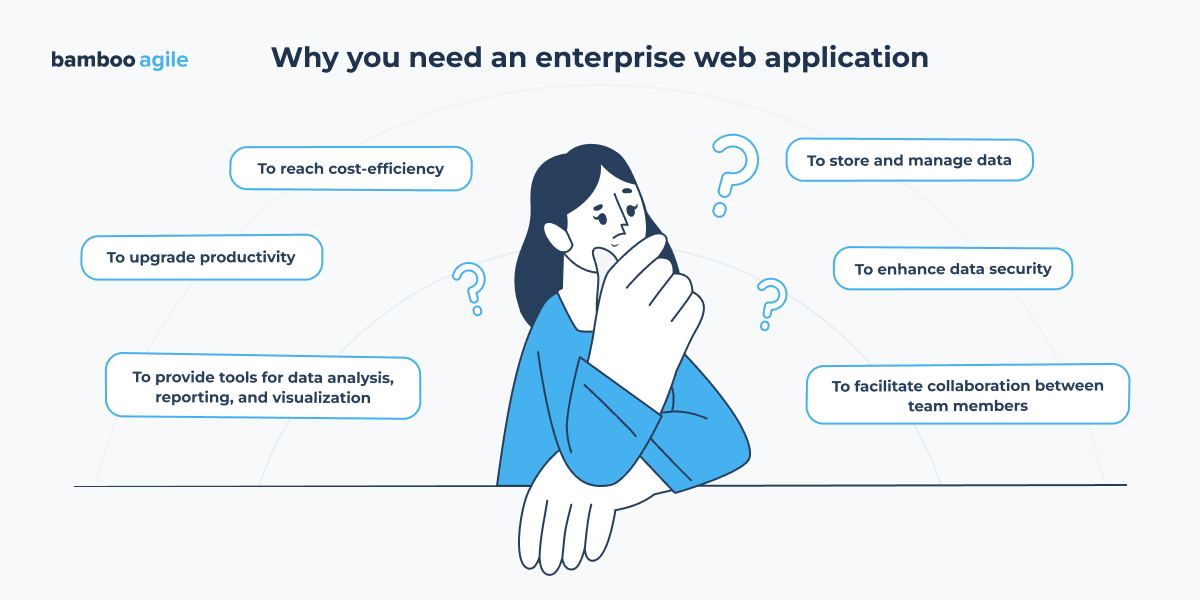
For enterprises of various sizes, industries, and dimensions, web applications provide numerous advantages. Here are some of the most significant reasons to start enterprise web development.
1. To upgrade productivity
Enterprise web apps aid in the development of more structured internal processes and improved modules for corporate tasks, resulting in increased productivity.
While each task may only take a few minutes to complete manually, together they consume a significant amount of time. Web applications can automate much of this work and reduce the number of routine actions employees perform every day.
For example, an HR department could use a web app to manage employee onboarding and offboarding processes, automating tasks like creating accounts, issuing access cards, and assigning benefits.
2. To facilitate collaboration between team members
Web applications improve collaboration and communication within a company. Real-time collaboration, project management tools, texting, and document sharing all help to improve teamwork and information exchange within the organization.
3. To provide tools for data analysis, reporting, and visualization
Enterprise web apps can integrate with various data sources to collect and organize data and then analyse it to identify trends, patterns, and anomalies. This can provide valuable insights into business operations, customer behaviour, market trends, and other relevant areas.
Such solutions also generate reports that present the findings of automated data analysis. They can be tailored to specific audiences and can include charts, graphs, and other visual elements to enhance understanding.
4. To store and manage data
As organizations grow, so does the amount of information they need to maintain. Without a centralized system, data often ends up duplicated, outdated, or stored in multiple locations.
An enterprise application provides a single place to manage business information. Therefore, it is easier to keep records accurate and accessible especially when multiple teams depend on the same data to do their work.
5. To enhance data security
With enterprise web apps your customer information, financial records, contracts, and internal documents are protected from breaches and cyber-attacks.
Security measures usually include user permissions, encryption, activity logs, and automated backups.
6. To reach cost efficiency
An enterprise web application is cost-effective because it is a code-once run-anywhere software component that can be readily scaled and made accessible to a large number of people via the cloud. In addition, enterprise web apps provide good ROI, because they replace several separate tools with one system that handles key business processes like customer management, reporting, HR tasks, and internal workflows.
Enterprise web application: essential features
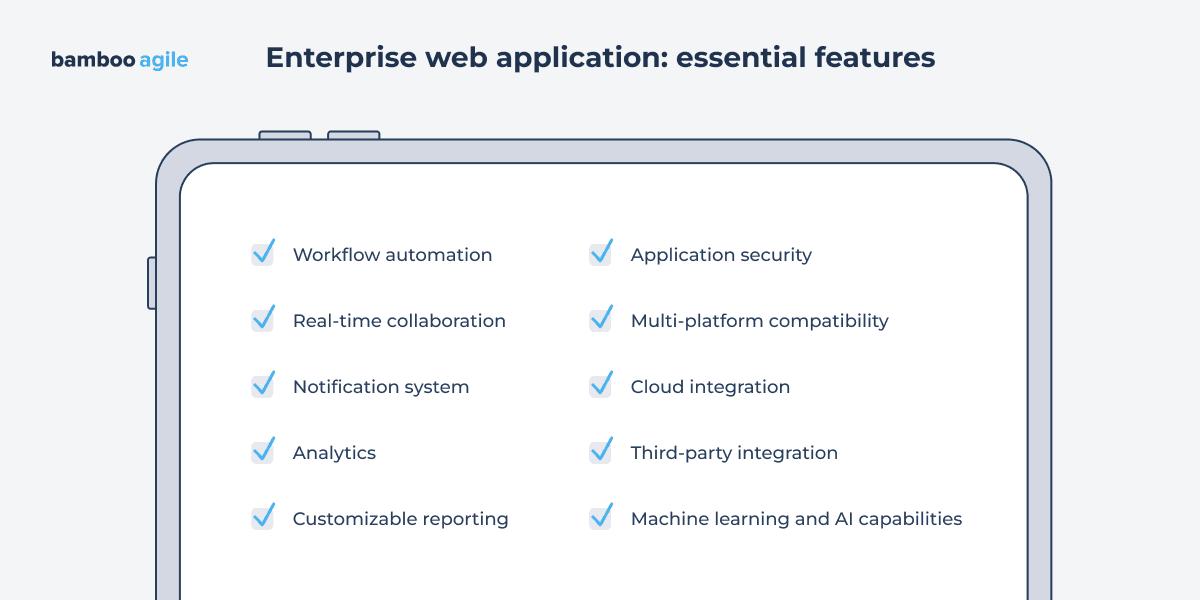
An enterprise web app must have features that are both generally useful and unique to the business the software is designed for. These are some examples of essential features.
Workflow automation
Workflow automation means that the system takes over routine business processes and moves work between stages without manual input. For example, it can route a request for approval to the right manager, notify the next person in line, or update a record once a task is completed.
This is usually supported through process rules, task assignments, system integrations, and automatic notifications. Some also include visual workflow builders, so that processes can be designed and adjusted without writing code.
This helps businesses in a few clear ways:
- less time spent on repetitive administrative tasks
- faster completion of processes (e.g., approvals or requests)
- fewer human errors caused by missed steps or manual data entry
- more consistent execution of business rules and policies
- better visibility into what stage each process is in
Real-time collaboration
Real-time collaboration means that people can work together in the same system at the same time and see updates instantly. This way they do not need to send files back and forth or wait for manual updates.
As a rule, in enterprise applications, this shows up in tools like shared documents, task boards, project spaces, and internal chat. When one person makes a change, others see it immediately. For example, a team can edit a report together, update project tasks as work progresses, or discuss changes directly inside the system instead of switching to external tools.
Real-time collaboration can improve your business with:
- fewer delays caused by waiting for updates or feedback
- less confusion from working on outdated versions of files
- smoother coordination across teams and departments
- faster discussions and decisions, since everything happens in one place
- better visibility into what others are working on
Notification system
Enterprise web applications use notification systems to keep users updated on important events such as task changes, approvals, and system updates.
Notification systems can be used for:
- real-time push notifications
- in-app notifications
- email notifications
- personalized notifications
- notification filtering
Analytics
This feature typically includes tracking user activity, aggregating data from different sources, and presenting it through dashboards, reports, and visualizations.
In practice, analytics helps businesses:
- understand how users interact with the product
- identify which features are used and which are not
- spot performance issues and bottlenecks
- support better planning and business decisions
- detect unusual patterns that may indicate risks or problems
Customizable reporting
Different teams might need different views of the same data. While executives may focus on business performance, operational teams usually need more detailed information about specific processes, customers, or projects.
Customizable reporting allows users to create reports that match their needs by selecting relevant metrics, filters, visualizations, and reporting periods. Reports can also be generated automatically and delivered on a schedule.
This allows enterprises to:
- access information relevant to specific teams or roles
- monitor KPIs and business performance more effectively
- reduce time spent on manual reporting
- share information more consistently across departments
- support operational and strategic decision-making
Application security
Application security protects enterprise systems from unauthorized access, data breaches, and other cyber threats. Rather than relying on a single security measure, enterprise applications typically use multiple layers of protection.
Common security features include:
- multi-factor authentication (MFA)
- role-based access control (RBAC)
- data encryption in transit and at rest
- secure coding practices
- vulnerability scanning and patch management
- penetration testing
- security monitoring and audit logs
- regular security audits
According to IBM’s 2025 Cost of a Data Breach Report, the average global cost of a data breach remains approximately $4.4 million. To avoid these losses, it is important to follow the rules essential security requirements. Find the key practices in the table below.
| Security area | Key practices |
|---|---|
| Identity & access management | Multi-factor authentication (MFA), Single Sign-On (SSO), role-based and attribute-based access control |
| Data protection | Encryption in transit (TLS 1.3) and at rest, secure key management, data masking |
| API security | OAuth 2.0, OpenID Connect, rate limiting, API gateways, schema validation |
| Application security | Secure coding practices, dependency scanning, vulnerability management |
| Infrastructure security | Network segmentation, secrets management, container security |
| Monitoring & incident response | Centralized logging, SIEM, threat detection, security alerting |
| Compliance | GDPR, HIPAA, PCI DSS, SOC 2, ISO 27001 (depending on industry requirements) |
In addition, there are several security trends in enterprise application development and beyond:
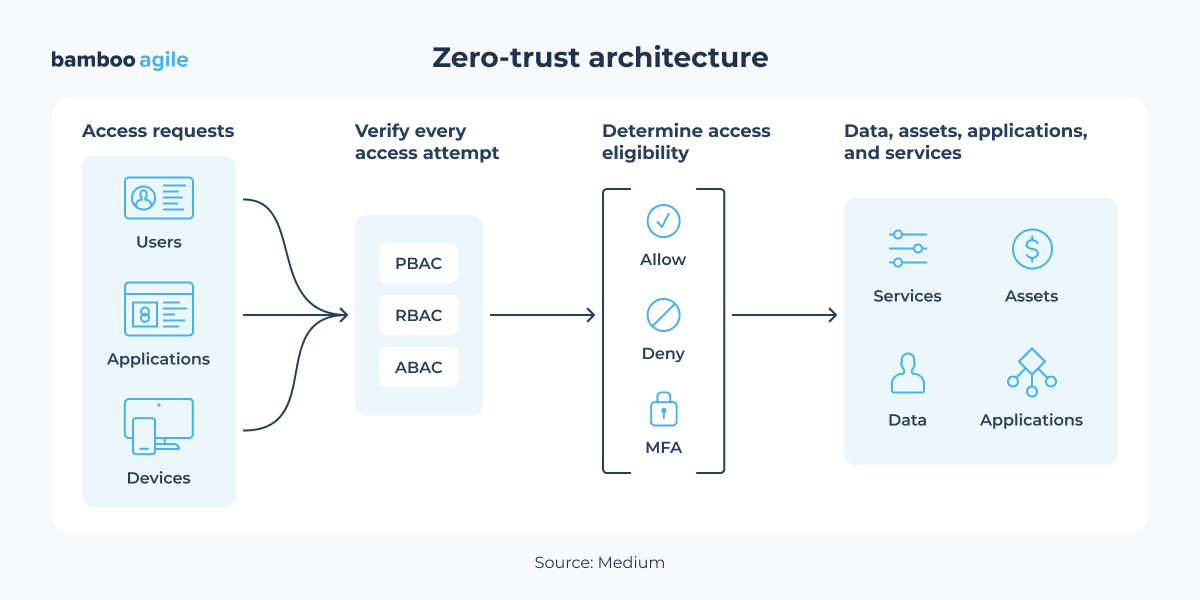
- Zero-trust architecture
Traditional perimeter-based security models are being replaced by zero-trust principles, where every user, service, and device must be continuously verified regardless of its location. Identity has effectively become the new security perimeter.
- Security-first API design
API is the primary communication layer in modern enterprise systems. So organizations implement fine-grained authorization, runtime API protection, and continuous API monitoring to prevent unauthorized access and data exposure.
- DevSecOps and shift-left security
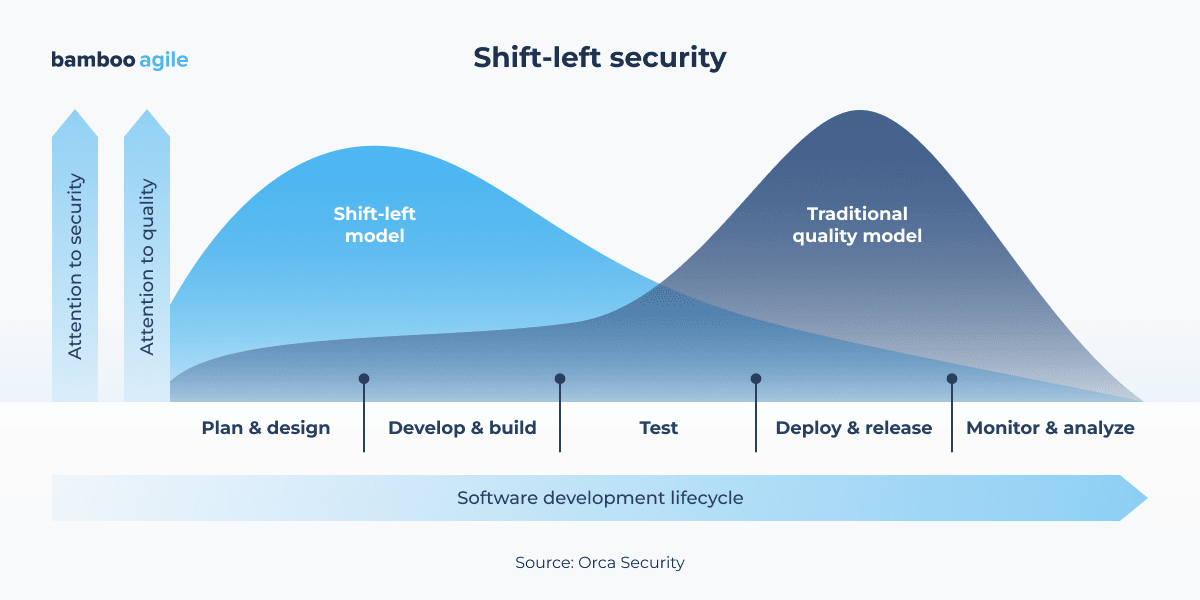
Security testing is moving earlier in the development lifecycle (shift-left security) through automated code analysis, dependency scanning, Infrastructure-as-Code validation, and security checks integrated into CI/CD pipelines.
- Identity-сentric security
Most applications rely on passwordless authentication, passkeys, adaptive authentication, and fine-grained access control models such as Attribute-Based Access Control (ABAC). These technologies align with Zero Trust principles, where user identity is the primary security boundary instead of the traditional network perimeter.
- AI security and governance
The adoption of AI introduces new security challenges. IBM reports that 63% of organizations affected by breaches still lack formal AI governance policies. And these incidents are frequently associated with insufficient access controls. Organizations are implementing AI governance frameworks, model access controls, and monitoring for unauthorized AI usage (“shadow AI”).
Multi-platform compatibility
Multi-platform compatibility enables businesses to reach a wider audience and provide a consistent user experience across different devices and operating systems. This way, businesses can cater to a more diverse user base and expand their market reach.
For example, your enterprise web app can implement cross-browser compatibility, responsive design, and progressive enhancement.
Benefits of multi-platform compatibility include:
- reaching a wider audience
- a consistent user experience across devices
- lower development and maintenance costs
- simpler deployment and support
Cloud integration
Enterprise web applications can use cloud-based infrastructure and services for hosting, storage, analytics, artificial intelligence, and other business functions. And there is no need to build and maintain these capabilities in-house.
Benefits of cloud integration for enterprise web apps:
- scalability and elasticity
- reduced infrastructure and maintenance costs
- faster deployment of new features and services
- access to advanced technologies and specialized services
- improved reliability and disaster recovery capabilities
Third-party integration
Enterprise applications need to exchange data with CRM platforms, payment gateways, ERP software, analytics tools, communication platforms, cloud services or other systems. Third-party integration allows them to work together through APIs and other integration mechanisms.
Some advantages of such integrations are:
- extended application functionality
- better data consistency across systems
- more efficient business workflows
- faster access to information from multiple sources
- lower development and operational costs compared to building every feature in-house
AI capabilities
AI can add significant value when it solves a specific business problem rather than being introduced for the sake of following technology trends. The most valuable implementations are usually tied to clear use cases, such as document processing, intelligent search, demand forecasting, fraud detection, customer support automation, etc.
Rather than acting as a standalone feature, AI is often embedded into existing business processes. In enterprise web apps it can be useful for:
- automation of repetitive and time-consuming tasks
- processing and structuring unstructured documents (contracts, invoices, reports)
- faster analysis of large datasets
- more accurate forecasting and planning
- improved search and information retrieval
- personalized recommendations and user experiences
- fraud and anomaly detection
For example, generative AI typically covers document summarization, enterprise search, customer support automation, and information extraction from text-heavy sources.
In turn, Agentic AI extends this model. It introduces systems that can execute multi-step workflows, call external tools, and complete tasks with limited user input while keeping context across steps.
Adoption data shows that AI is already part of mainstream enterprise environments. According to McKinsey’s State of AI 2025, 88% of organizations report AI use in at least one business function, while 62% report active experimentation with AI agents.
Morgan Stanley represents one of the best examples of the application of generative AI to enterprise search and document summarization. The company used GPT-4 to effectively answer any question from a bunch of 100,000 documents. They have even reached an impressive adoption level: 98% of advisor teams are actively using the GPT-powered tools these days.
The agentic AI pattern is best illustrated by Klarna. In February 2024, the company’s OpenAI-powered assistant handled 2.3 million conversations in its first month, resolving issues in under 2 minutes versus 11 minutes for human agents. As a result, the number of repeated inquiries was reduced by 25%. By Q3 2025, the assistant was doing the equivalent work of 853 agents with response times 82% faster than pre-AI baselines. Nevertheless, Klarna reintroduced human agents for more complex cases.
Enterprise web software application development process
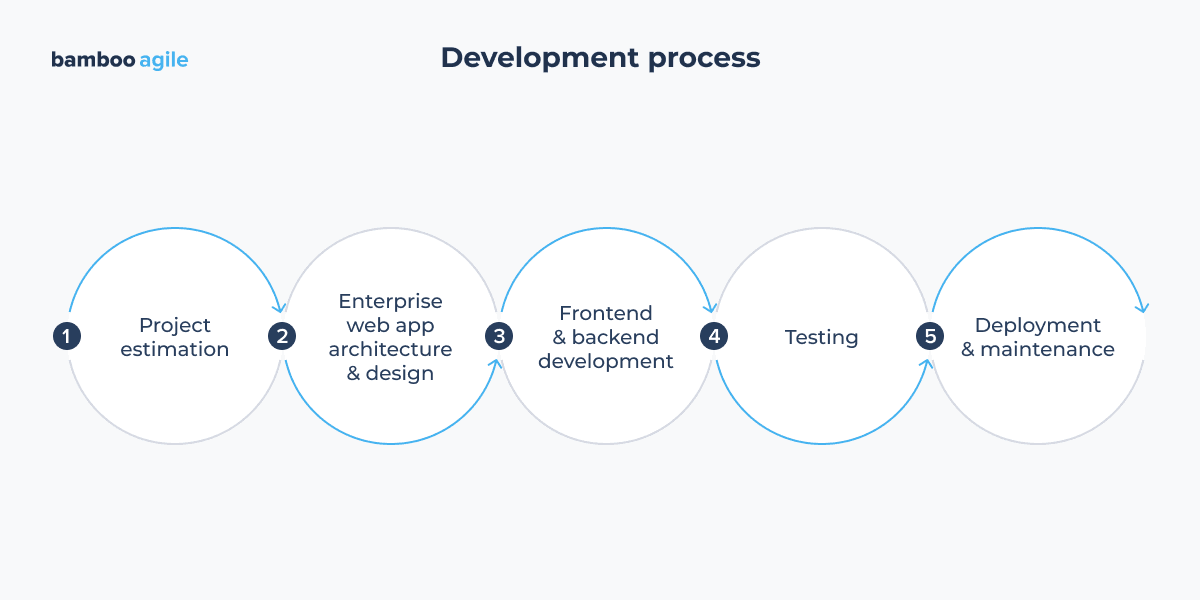
Enterprise web application development is a multi-phase process that begins with conceptualization and ends with implementation. This section describes the major stages involved in building enterprise web apps.
1. Project estimation
The initial stage of enterprise app development is estimating the whole project – from budget to design, from functionality to deployment; everything is conceived and documented during this phase.
During estimation, project managers, software architects, or tech leads will construct a detailed plan, covering the necessary tech stack, web application frameworks, platforms, extensions, structures, dependencies, architecture, timeline, and overall cost. This keeps the development on track with concrete objectives and offers a solid basis for the entire process.
2. Enterprise web app architecture & design
The next step is creating the enterprise web application’s architecture to visualise how the app will look and how it will perform various enterprise functions. This is a critical step in creating the groundwork for the future enterprise web application architecture and deployment.
At this point, the software designers / architects pull together the entire architecture – the databases, servers, management tools, and client modules – to provide an in-depth review of its design. A flexible, yet organised infrastructure is essential for understanding how the modules and service will scale in response to changing business needs.
3. Frontend & backend development
This phase entails the fundamental development of the software, where code is created and all the various software modules are developed. During this stage, the frontend and backend developers will collaborate to create efficient modules that meet the development goals.
This includes UI/UX design, database connectivity, business logic execution, API integrations, and server administration. This is one of the most important stages in determining the general level of quality and profitability of your project. So having a highly qualified staff with extensive expertise working on your project is critical.
4. Testing
After the front and backend development is completed, the web application is tested and quality assurance for the total project is performed. This phase is necessary before release, as it helps iron out any problems, disparities, security flaws, and errors, making the best possible first impression.
There are various sorts of testing performed by software testers and QA engineers to ensure that the final product functions effectively and is without error. Among the most common testing approaches are unit, integration, system, regression, and alpha testing.
5. Deployment & maintenance
The final stage of the development process involves installing the software on a production server and optimizing it through high-quality maintenance procedures. To guarantee a smooth transition to the live environment, the code is deployed on the production environment first. The process is accompanied by a variety of tasks, such as platform configuration, file compression, caching, and load balancing.
Maintenance, in addition to deployment, ensures a consistent, optimized user experience and solid security. It necessitates continuous monitoring of the enterprise web application and the distribution of timely upgrades. It is a continual activity that ensures the enterprise web application’s high availability, quality, and overall performance for years to come.
Great examples of enterprise web apps and the benefits they provided
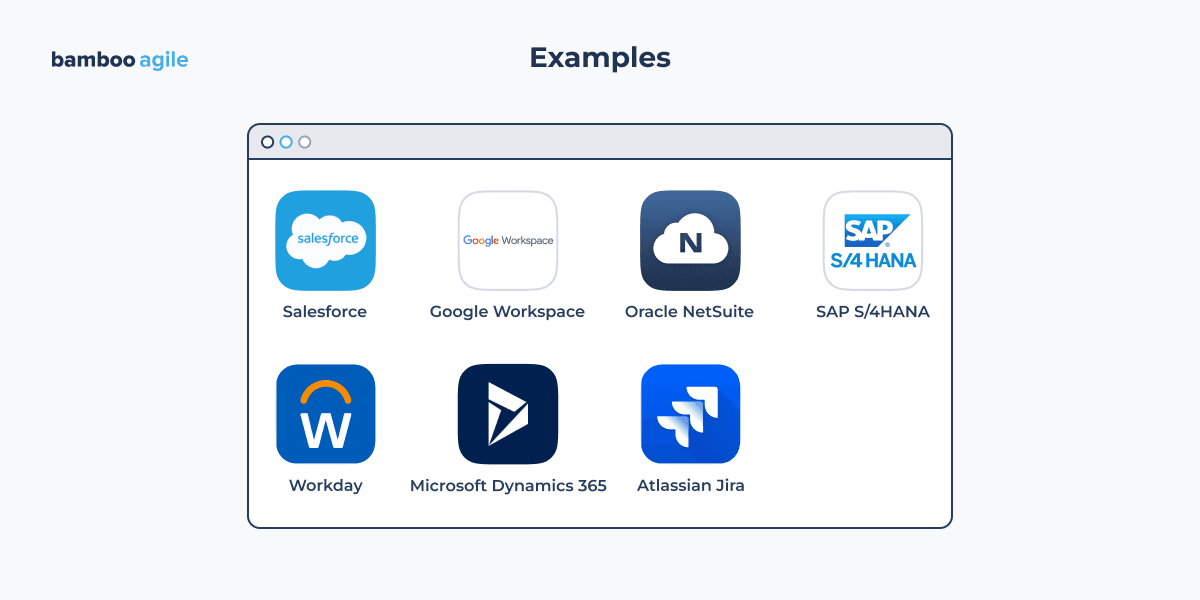
If you want to develop an enterprise app for your company but want to check how other ones are performing in various categories, here are some of the top enterprise web apps currently on the market.
Salesforce
Salesforce is a cloud-based customer relationship management (CRM) platform that helps businesses manage their customer interactions, sales pipelines, marketing campaigns, and customer service operations. It provides tools for lead management, sales automation, customer support, analytics, and many more.
Salesforce is one of the most popular CRM platforms in the world, and it is used by businesses of all sizes, from small startups to Fortune 500 companies.
Google Workspace
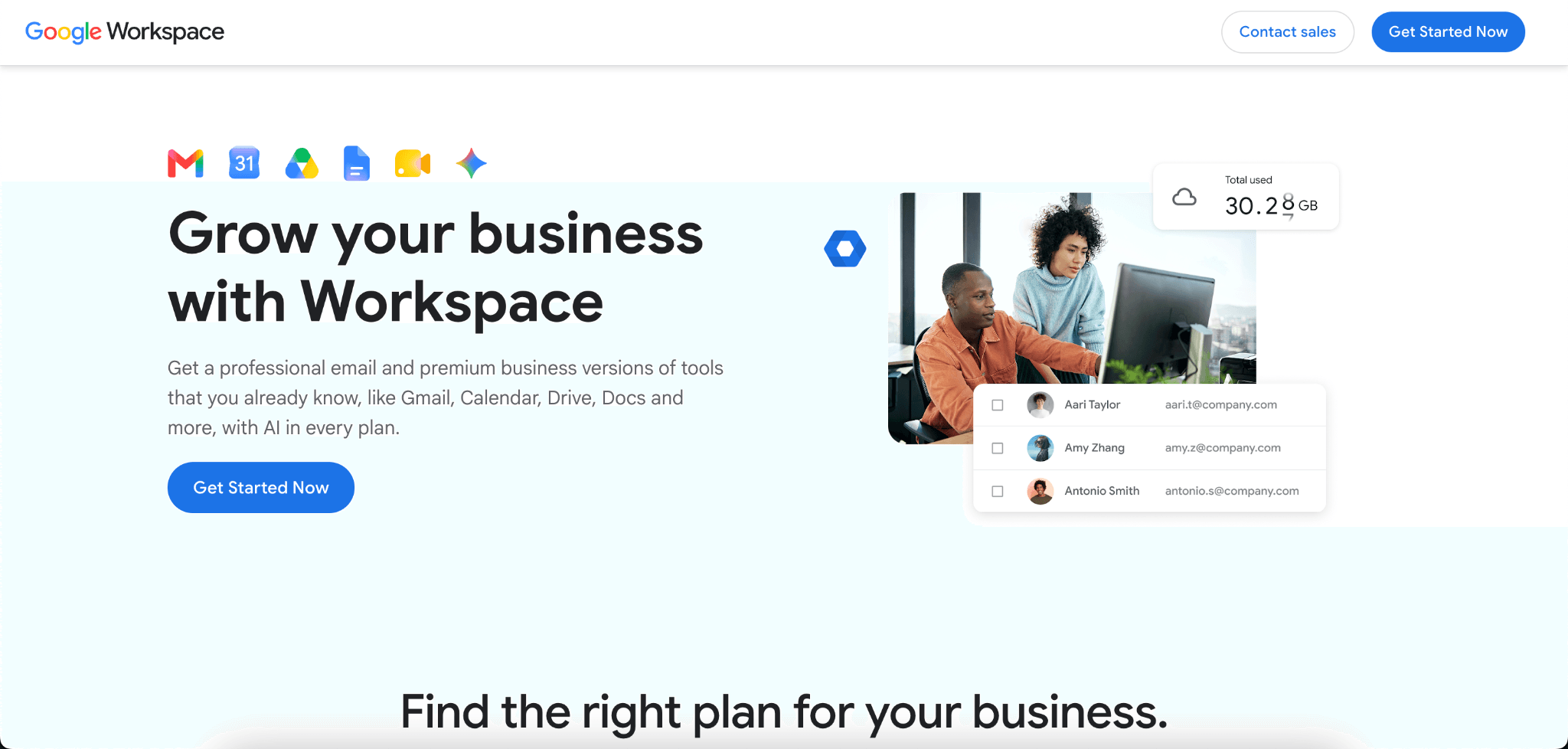
Google Workspace is a suite of productivity apps that includes Gmail, Calendar, Drive, Docs, Sheets, Slides, Forms, Sites, Keep, Apps Script, and Jamboard. It is a cloud-based application that can be accessed from anywhere, and it offers a wide range of features for collaboration and productivity.
Oracle NetSuite
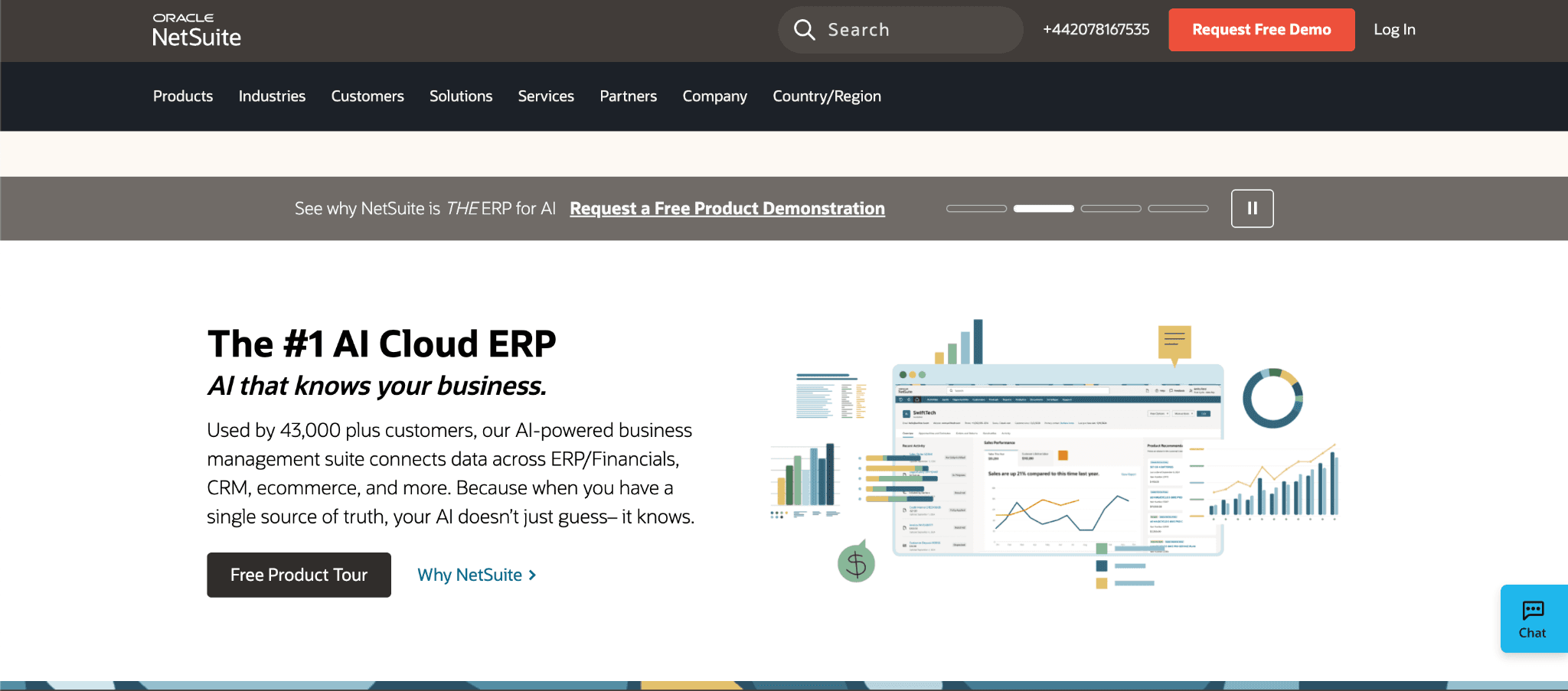
Oracle NetSuite is a cloud-based enterprise resource planning (ERP) system that helps businesses of all sizes manage their finances, operations, and customer interactions. It is a comprehensive application that can be customized to meet the specific needs of a business.
SAP S/4HANA
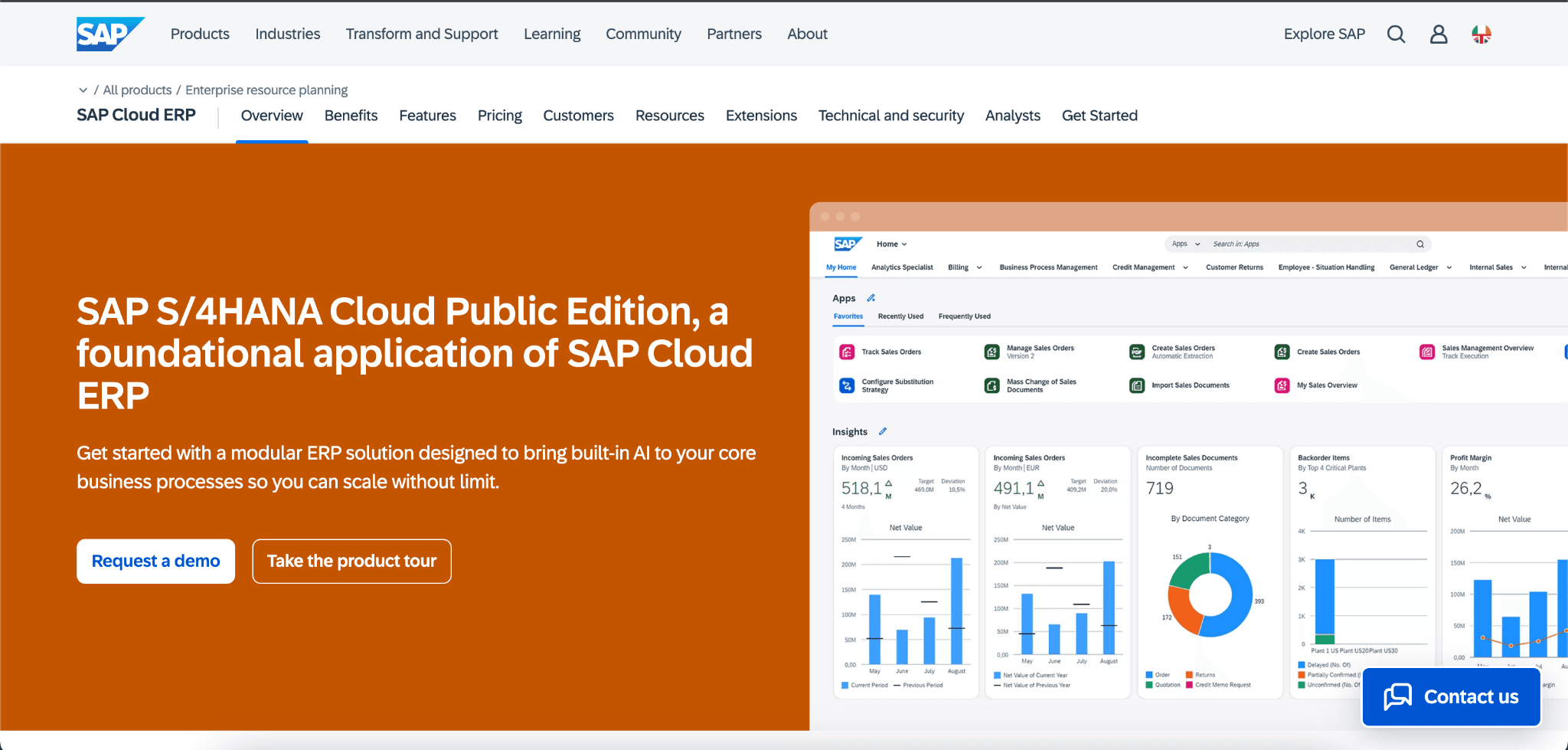
SAP S/4HANA is a cloud-based ERP system that is designed to help businesses of all sizes become more agile, efficient, and customer-centric. It is a modern and innovative ERP system that is built on the SAP HANA in-memory database, which provides real-time performance and data insights.
Large enterprises use it to manage business processes across multiple departments, business units, and locations.
Workday
Workday is a cloud-based human capital management (HCM) platform that helps businesses manage their people, payroll, benefits, and training. Workday reports more than 11,500 customers globally and over 80 million users under contract across its customer base.
Microsoft Dynamics 365
Microsoft Dynamics 365 combines CRM and ERP capabilities in a suite of business applications that support sales, customer service, finance, operations, and supply chain management. The platform integrates with the Microsoft ecosystem, including Microsoft 365, Power BI, and Azure.
Atlassian Jira
Jira is a project and work management platform used to plan, track, and manage tasks, projects, and workflows. It originated as a tool for software development teams. However, now it is widely used across product, operations, marketing, and business teams. Atlassian states that more than 300,000 companies worldwide use Jira to manage their work.
Technology stack for enterprise web application development
The table below outlines a typical technology stack used in enterprise web application development.
| Layer | Technologies | Purpose |
|---|---|---|
| Frontend | React, Angular, Vue.js, TypeScript | Building responsive and interactive user interfaces |
| Backend | Java (Spring Boot), .NET, Node.js, Python (Django/FastAPI) | Business logic, API development, and server-side processing |
| API Layer | REST, GraphQL, gRPC | Communication between frontend, backend, and external systems |
| Databases | PostgreSQL, MySQL, Microsoft SQL Server, MongoDB | Structured and unstructured data storage |
| Caching | Redis, Memcached | Improving performance and reducing database load |
| Message brokers | Apache Kafka, RabbitMQ, Azure Service Bus | Asynchronous communication and event-driven architecture |
| Authentication & security | OAuth 2.0, OpenID Connect, JWT, Active Directory | Identity management and secure access control |
| Cloud platforms | AWS, Microsoft Azure, Google Cloud Platform | Infrastructure hosting and cloud services |
| Containers & orchestration | Docker, Kubernetes | Application deployment, scaling, and management |
| CI/CD | GitHub Actions, GitLab CI/CD, Jenkins, Azure DevOps | Automated testing, building, and deployment |
| Testing | JUnit, Jest, Cypress, Selenium, Playwright | Automated unit, integration, and end-to-end testing |
The final tech stack selection depends on factors such as business requirements, expected traffic, security regulations, integration needs, team expertise, and long-term maintenance considerations.
Low-code and no-code in enterprise web application development
Vendors tend to position low-code and no-code (LCNC) platforms as a way to reduce delivery time, lower development costs, and let business teams participate in software creation.
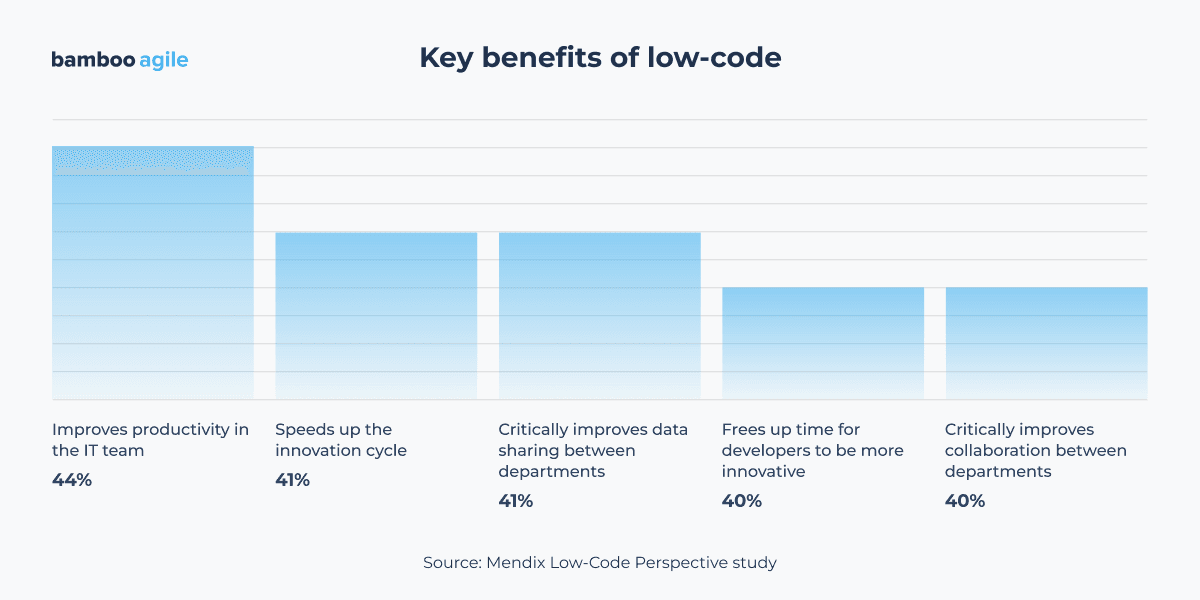
Besides, there is strong executive support for its adoption. In the 2024 Low-Code Perspective study, Mendix surveyed 2,000 senior IT decision-makers and technology executives from enterprises with more than 1,500 employees across the US, UK, Germany, Benelux, and Japan. The study found that:
- 98% of organizations already use low-code as part of their development process
- 77% identified executive leadership as the primary driver of low-code adoption
- 75% of respondents said low-code improves their organization’s ability to innovate at scale
Apparently, there are some really convincing benefits of low-code that can be valuable not only for IT but also for the wider organization.
However, this does not automatically mean that low-code platforms like OutSystems or Mendix are suitable for every enterprise application.
Where traditional development remains stronger
Low-code platforms rely on standardization. The more an application follows common patterns, the more productivity gains an organization can achieve. Typical examples include:
- internal workflow applications
- approval and case management systems
- employee self-service portals
- operational dashboards
- process automation tools
- departmental applications that require frequent changes
Nevertheless, many enterprise web applications are valuable precisely because they do not follow standard patterns. These are customer-facing platforms, industry-specific SaaS products, trading systems, logistics platforms, and large e-Commerce applications. Their business logic often reflects how a company competes in the market. In these cases, LCNC platforms fail to provide the required level of customization.
Do enterprises need to choose one approach?
The most mature enterprises adopt a hybrid model instead of choosing between LCNC and traditional development.
In this approach:
- low-code platforms support process automation and internal business applications
- professional engineering teams build core systems and strategic platforms
- shared governance controls security, compliance, and architecture standards
- APIs connect LCNC solutions with enterprise systems of record
In a 2024 Forrester Total Economic Impact study of Microsoft Power Platform, companies reported a 224% ROI, $81.7 million in net present value, and a payback period of less than six months. The study also identified more than $43 million in direct development and IT cost savings and up to 25% employee time savings.
Thus, Siemens Energy, for example, adopted the Mendix low-code platform and delivered over 200 applications that replace legacy systems, reduce manual work, and improve data quality. At the same time, the company decided to keep its core industrial software products on traditionally built stacks. A comparable pattern appears in telecoms: South American telecom Entel used OutSystems to build and deliver frontend applications faster.
Notably, these positive outcomes were achieved in environments that combined low-code development with enterprise governance, security controls, and professional engineering practices.
Why choose Bamboo Agile for enterprise web application development?
For optimum ROI and productivity, it is critical to bring an experienced enterprise web application development company on board. Some of the reasons companies choose Bamboo Agile’s custom web application development services include:
- Experience with legacy system modernization and enterprise software replacement
- Ability to integrate with ERP, CRM, HRM, and other business-critical platforms
- Strong focus on security, access control, and compliance requirements
- Architecture designed for long-term scalability and maintainability
- Proven delivery of projects with complex business workflows and approval processes
- Ability to support enterprise applications through multiple growth stages
Our specialists will work closely with you to understand how the application will be used, who will use it, and how it should fit into the existing technology ecosystem. Simply contact us to get a free consultation with our experts about your case.